

NXSiteMap
Show up on Google and other search engines with no technical hassle

What is NXSitemap?
NXSitemap is the module responsible for automatically generating your store's Sitemap. This file works as a map that helps search engines like Google find and correctly index your products, categories, and informational pages.
Once activated, NXSitemap works completely on its own. Every time you add products, remove categories, or make important changes to your store, the Sitemap stays up to date without you needing to do anything else.
What is it for?
When someone searches for a product on Google, the search engine needs to know which pages exist within your store in order to show them in search results.
The Sitemap makes that job easier, allowing Google to discover your site's content faster and keep the information in its index up to date.
While a Sitemap doesn't guarantee top placement in search results, it is one of Google's official recommendations for making a website easier to index.
Benefits
Automatic Sitemap generation.
Automatic updates whenever your store changes.
Compatible with Google Search Console.
Support for Spanish and English.
No technical knowledge required.
Set up in under a minute.
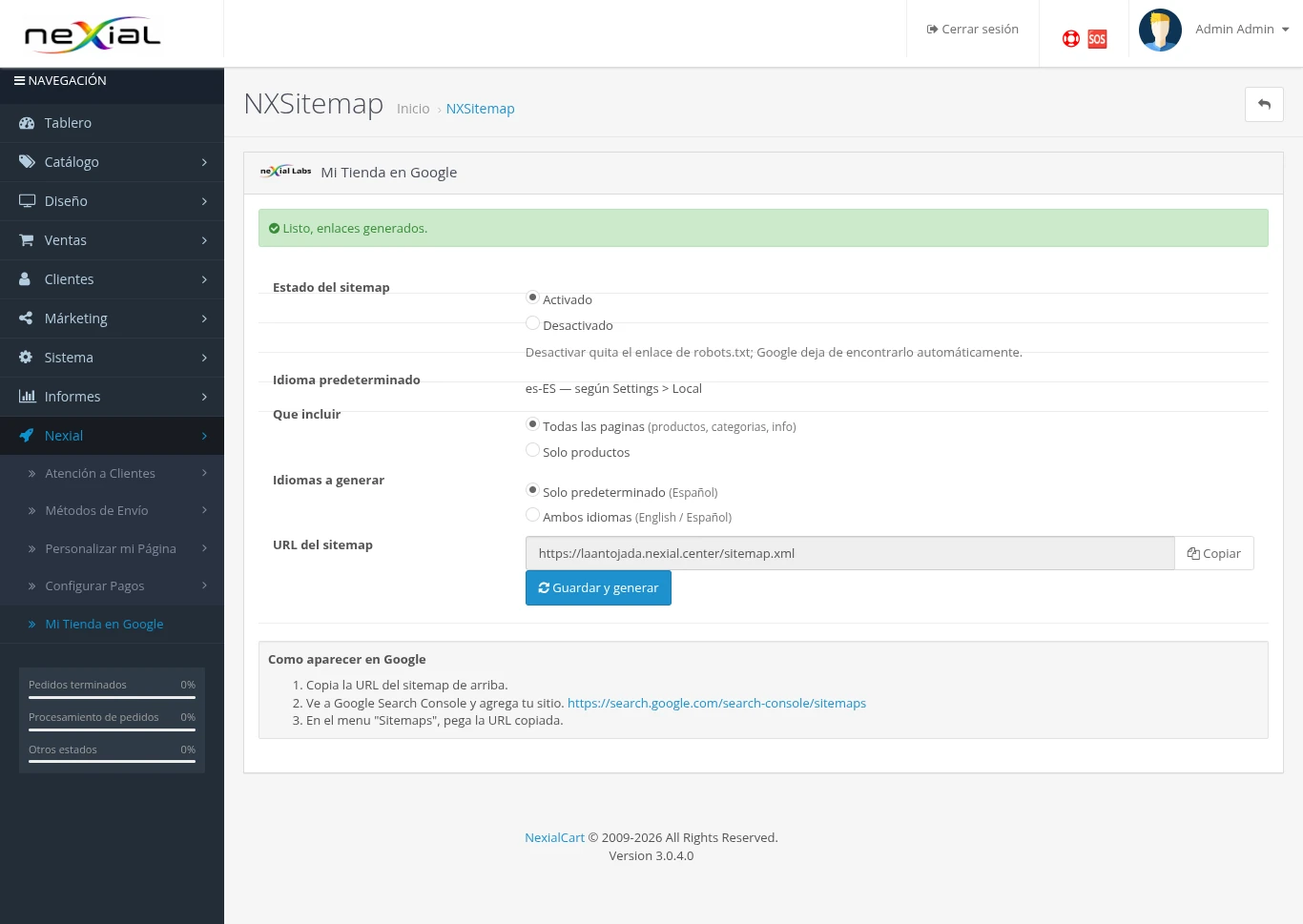
Click the image to view it larger
Configuration
Sitemap Status
Enabled
Automatically publishes your store's Sitemap so Google can access it.
Disabled
The Sitemap stops being published and Google will no longer receive updated information about your store.
What to include?
All pages
- Products
- Categories
- Informational pages
This is the recommended option for most stores.
Products only
Generates a Sitemap with only the products in your catalog.
Languages to generate
If your store operates in multiple languages, you can generate the Sitemap for:
- Spanish only.
- English only.
- Both languages.
Sitemap URL
This is where your store's public Sitemap address will appear. You can copy it using the Copy button.
Register Your Sitemap with Google
This procedure only needs to be done once. After submitting it, NXSitemap will keep the file updated automatically.
Step 1
Enable the module and click Save and generate.
Step 2
Copy the Sitemap URL using the Copy button.
Step 3
Go to Google Search Console: search.google.com/search-console
Step 4
Select the corresponding website.
Step 5
In the left-hand menu, open the Sitemaps section.
Step 6
Paste the Sitemap address generated by NexialCart.
Step 7
Click Submit.
Done. Google will start using your Sitemap to discover and index your store's content.
Frequently Asked Questions
Do I need to resubmit the Sitemap when I add products?
No. You only need to register it once. NXSitemap automatically detects changes in your store and keeps the Sitemap updated.
How long does it take for Google to show my store?
The timing depends entirely on Google. In some cases it can take a few hours, and in others, several days.
Do I need SEO knowledge?
No. NXSitemap automatically handles all the work related to generating and updating the Sitemap.
What happens if I disable the module?
The Sitemap will stop being published and Google will no longer receive updated information about your store's content.
Once registered with Google Search Console, you won't need to worry about the Sitemap again.
Every new product, category, or change you make will be automatically picked up by NXSitemap.
